The buzz around Super Bowl 60 hasn't faded yet. Love Island USA Season 8 premiered on June 2, 2026, and the World Cup kicks off on June 11. All of this must-watch content streams on Peacock.
The good news is, for students, Peacock is one of the few streaming platforms in the US that actually offers a genuine student discount. This discount is officially recognized, and the official student price for 2026 is $5.99/month.
This guide covers everything you need to know: how pricing works, a step-by-step walkthrough to claim the discount, what to do if verification fails, and other options if you don't have a student ID.
If you want to lock in a discounted rate long-term, you can also purchase a Peacock TV account on GamsGo and save up to 70%.

How Much Does Peacock TV Cost
Before diving into the student discount, let's clarify the baseline prices for Peacock TV, so you know exactly how much you are saving.
Peacock currently offers three paid plans:
Plan | Monthly Price | Annual Price | Ads | Key Features |
| Select | $7.99/mo | $79.99/yr | Yes | Excludes Sports, Movies, and Peacock Originals |
| Premium (with ads) | $10.99/mo | $109.99/yr | Yes | Full content library + all live sports |
| Premium Plus (ad-free) | $16.99/mo | $169.99/yr | Mostly none | + Local NBC live + select downloads |
As you can see, Peacock TV has ended its free plan, so watching now requires a subscription starting at $7.99. However, students don’t have to pay full price to enjoy it.
Does Peacock TV Offer a Student Discount
Yes, and it's an official discount. Peacock has a dedicated student discount page on its website (peacocktv.com/student). Once you verify your student status through the third-party verification service SheerID, you'll unlock 12 consecutive months of Peacock Premium (with ads) at the student rate.
How Much Is the Peacock TV Student Discount in 2026
The current 2026 official student price is $5.99/month. The standard non-student rate is $10.99/month, so you save $60 over 12 months.
If you search "Peacock student discount" on Google, you'll find plenty of articles citing $1.99/month or $2.99/month. Those prices are outdated.
- $1.99/month: This was a limited-time Black Friday promotional price from 2024 — that deal is long gone.
- $2.99/month: This was the rate at some point in 2025, also no longer valid.
Also, many students instinctively check UNiDAYS or Student Beans for deals — but Peacock is not on either platform. Peacock runs its discounts exclusively through SheerID.
Who is Eligible for the Peacock Student Discount
Before applying, make sure you meet all the requirements:
- ✅ At least 18 years old
- ✅ Currently enrolled at a Title IV-accredited U.S. college or university (undergraduate, master's, or doctoral programs all qualify)
- ✅ Residing in the United States (including U.S. territories and commonwealths)
- ✅ A valid credit card or PayPal account to set up billing
- ✅ Both new and existing users can apply (existing subscribers will need to handle their current plan first — details below)
What is Title IV accreditation? Simply put, it refers to institutions eligible to receive federal student loan funding — which covers the vast majority of public and private universities, as well as community colleges. If you're unsure whether your school qualifies, you can check at studentaid.gov.
How to Get the Peacock Student Discount
If you meet the requirements above, just follow these steps to claim your official Peacock student discount.
Step 1: Go to the Official Student Discount Page
Open your browser and go to peacocktv.com/student. You'll see a "Get Student Discount" or "Verify Now" button — click it to get started.
Step 2: Complete SheerID Verification
Clicking the button will redirect you to a SheerID verification page. SheerID is a third-party identity verification service used by platforms like Hulu, Paramount+, and Max for their student discounts too.
On the SheerID page, fill in the following:
- Your full name (must match your school records)
- Your school email address (.edu)
- Your school name
- Your date of birth
Step 3: Wait for Verification
In most cases, verification is instant — SheerID checks against school databases in real time.
If you don't pass instantly (this doesn't mean you're ineligible), the system will prompt you to upload one of the following documents for manual review:
- Student ID (must show the current academic year)
- Transcript
- Enrollment Verification Letter
- Tuition receipt (showing current semester information)
Manual review typically completes within 48 hours, and results are sent to your email.
Step 4: Save Your Unique Promo Code
Once verified, SheerID will send you a one-time unique promo code.
A few important restrictions to keep in mind:
- Single-use only — it expires after one redemption
- Must be used within 30 days — it will expire after that
- Cannot be combined with other offers
Screenshot it or copy it to your notes app — don't lose it.
Step 5: Activate the Discount with Your Code
Click the "Redeem Now" button in your verification email, or log in to your Peacock account directly.
Once logged in: Account → Plans & Payments → find the promo code field → paste your code → confirm the price shows $5.99/month → complete your subscription.
Step 6: Confirm Your Subscription Details
After subscribing, double-check the following:
- Current plan: Peacock Premium ($5.99/month)
- Next billing date
- Payment method is correctly linked
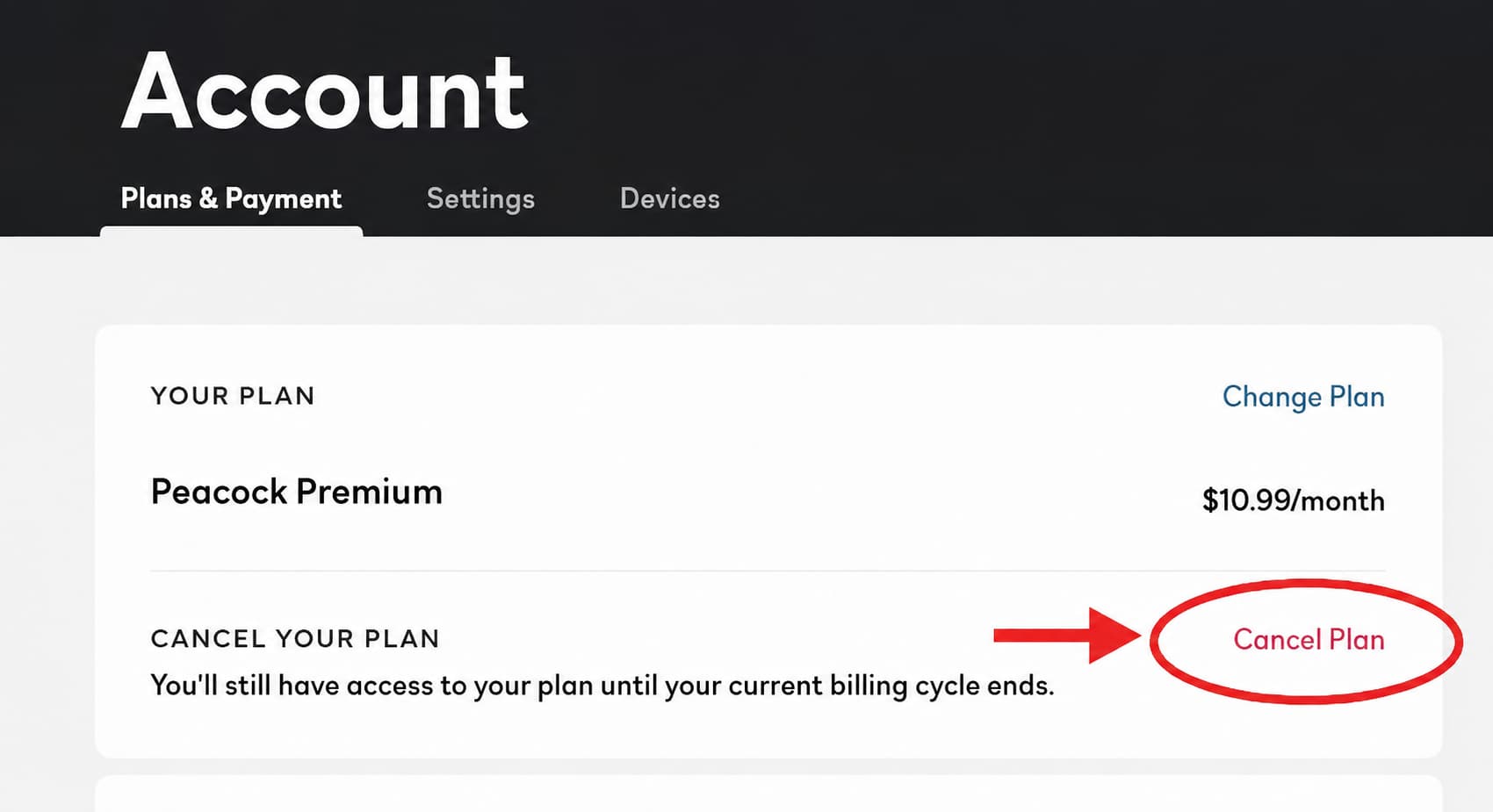
If you're already subscribed to a non-discounted Peacock plan, you must cancel your current subscription first before the student code will work. Your current subscription period won't end immediately after cancellation — it stays active until the billing cycle ends. Just wait for it to expire, then activate the student code.
How to Renew Your Peacock Student Discount After 12 months
The Peacock student discount does not auto-renew at the discounted rate. After 12 months, if you do nothing, your account will automatically revert to $10.99/month.
The correct renewal process:
- About 1–2 weeks before your 12 months are up, revisit peacocktv.com/student
- Go through SheerID verification again — this is a fresh application, not an extension, and you'll need to reconfirm you're still enrolled
- Receive your new promo code
- Enter the new code in your account's Plans & Payments section
- Confirm that the price is back to $5.99/month
How to Get Peacock TV Offers Without a Student ID
Not enrolled at a Title IV institution, taking a gap year, recently graduated, or just don't want to deal with SheerID? Here are two ways to get Peacock TV at a lower price.
GamsGo Shared Peacock TV Account
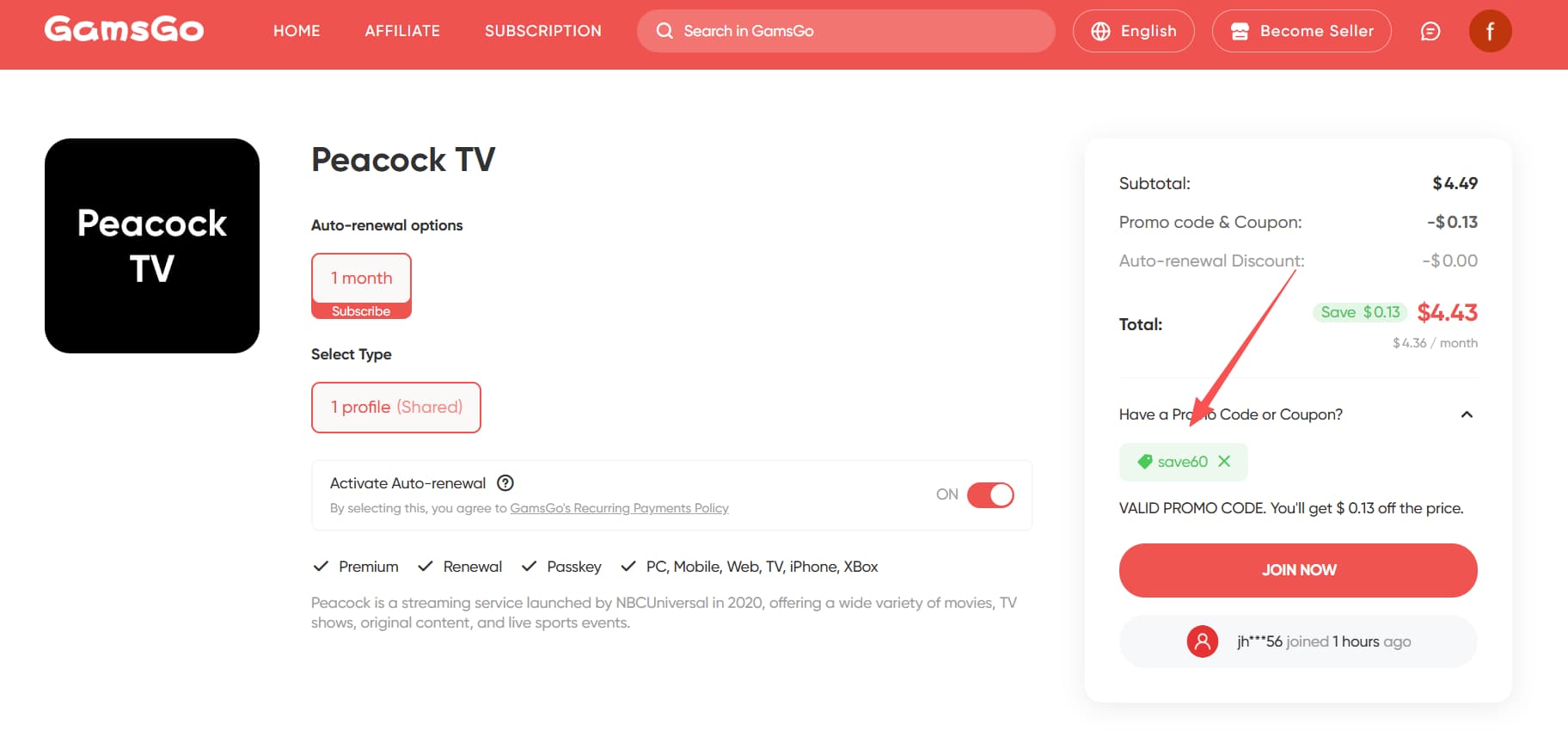
GamsGo offers Peacock access to everyone at just $4.49/month — that's actually $1.50 cheaper than Peacock's official student price of $5.99/month, and over 50% less than the standard rate of $10.99/month.
To verify the platform's reliability, I personally used it for a full month during testing. The overall experience was seamless. After logging in, I could immediately stream popular series, a large library of HD movies, and live sports like the Premier League with zero lag. Load times and video quality were identical to a full-price official subscription — and I never experienced buffering, disconnections, or getting kicked off a device.
For anyone who doesn't qualify for the student discount, or simply wants a long-term solution without annual re-verification hassles, GamsGo is the most hassle-free option on the market right now.
Peacock's Young Adult Discount
The Young Adult discount is another official offer available directly on Peacock's website. The price is identical to the student discount — $5.99/month for 12 months — but the verification requirement is different: you just need to prove you're between 18 and 24 years old. No school information required. No .edu email. No transcripts.
Who it's for:
- Students on a gap year without active enrollment status
- Recent graduates still under 24
- Learners at online courses, vocational programs, or non-Title IV institutions
- Anyone in the eligible age range who'd rather skip the school verification process
The steps are nearly identical to the student discount — SheerID just asks for your birthday instead of school details. Provide your real date of birth, and once verified, you'll receive a unique promo code that works the same way. The same 12-month limit applies, and you'll need to re-verify your age to renew.
Is Peacock Worth Subscribing To?
Absolutely. For student subscribers, $5.99/month unlocks all of the following:
- World Cup: All 104 matches of the 2026 FIFA World Cup (USA/Canada/Mexico) in Spanish-language broadcast
- NFL: Weekly Sunday Night Football, plus exclusive Super Bowl 60 coverage in 2026
- Premier League: Select exclusive matches — essential for soccer fans
- NBA: Select live games
- 2026 Winter Olympics: NBC/Peacock is the official U.S. broadcaster, with full event coverage
- WWE: Saturday Night's Main Event continues on Peacock
- Golf – PGA Tour: Select tournaments
Beyond sports, Peacock TV also offers an extensive library of shows and movies, including:
- Popular Originals: The Traitors (critically acclaimed reality competition), Love Island USA, Bel Air, Twisted Metal, Ted
- Current NBC Series: The entire Law & Order franchise, The Voice, One Chicago, and the complete Saturday Night Live archive
- Classic Library: Parks and Recreation, 30 Rock, the Jurassic Park franchise, and multiple Universal films
- Bravo Content: The Real Housewives franchise, Below Deck, Vanderpump Rules — a must-have if you or your roommates are Bravo fans
- Theatrical Releases: Universal and Illumination films arrive on Peacock after their theatrical run, including Wicked: For Good and Five Nights at Freddy's 2
In short, if you watch live sports, follow NBC shows, or love Bravo reality TV, $5.99/month for Peacock is excellent value. No other platform gives you the Super Bowl + Olympics + Premier League combination at this price point.
What Other Student Discounts Are Available?
Beyond Peacock, here's a look at student discounts across other major streaming services and AI tools — useful for planning your subscription lineup:
Streaming Platforms | |||
| Platform | Standard Price/mo | Student Price/mo | Verification |
| Hulu Student Discount | $9.99 | $1.99 | SheerID |
| Amazon Prime Student Discount | $14.99 | Free 6 months, then $7.49 | .edu Email |
| Paramount+ Student Discount | $7.99 | $3.99 | SheerID |
| Max Student Discount | $9.99 | $4.99 | UNiDAYS |
| Disney+ Student Discount | $11.99 | $122.30/yr (~$10.19/mo) | UNiDAYS |
| YouTube Student Discount | $13.99 | $7.99 | SheerID |
| Spotify Premium Student Discount | $11.99 | $5.99 | SheerID |
| Apple TV+ Student Discount | $10.99 | Included with Apple Music | UNiDAYS |
| Netflix Student Discount | From $7.99 | 70% off | GamsGo |
AI Tools | |||
| Platform | Standard Price/mo | Student Price/mo | Verification |
| ChatGPT Plus Student Discount | $20 | 70% off | GamsGo |
| Claude Student Discount | $20 | 70% off | GamsGo |
| Perplexity Student Discount | $20 | $10 | SheerID |
| Gemini Student Discount | $19.99 | Free first year (or 15 months) | SheerID |
Conclusion
Overall, the Peacock TV student discount offers excellent value — half-price access to a vast library of shows, movies, and top-tier live sports, with a straightforward verification process.
That said, if you don't qualify for student status — or simply want to avoid the hassle of re-verifying every year — GamsGo is the smarter, easier long-term option. At just $4.49/month, you get full access to Peacock premium at a price that actually beats the official student rate, with no hoops to jump through.
To celebrate the upcoming 2026 World Cup, GamsGo is also offering an extra 3% exclusive discount on new subscriptions.
We’ve prepared an exclusive promo code for all blog readers:
Enjoy an additional 3% off on your next purchase!
Valid across all categories — streaming accounts, AI tools, game top-ups, software subscriptions, and more.
FAQ
What is the current Peacock student discount price?
The current 2026 official price is $5.99/month for 12 consecutive months. Many articles online still cite $2.99 or $1.99 — those are outdated rates. Always check peacocktv.com/student for the current price.
I already have a Peacock subscription. Can I still apply for the student discount?
Yes, but you'll need to cancel your current plan first. After canceling, your subscription remains active until the end of the current billing period. Once it expires, activate the student code to start the discounted plan.
What should I do if SheerID verification fails?
A failed instant verification doesn't mean you're ineligible — it usually just means SheerID couldn't automatically match you to a school database. In that case, choose manual verification and upload a student ID, transcript, or enrollment verification letter. Manual reviews typically complete within 48 hours. Clear, well-lit photos speed things up.
How do I renew when the 12-month discount expires?
You'll need to go through the full verification process again: visit peacocktv.com/student → re-verify through SheerID → get a new code → enter it in your account's Plans & Payments section. If you do nothing, the account automatically charges $10.99/month. It's strongly recommended to set a calendar reminder well in advance.
What other options do I have if I don't have active student status?
Two options: Peacock's official Young Adult discount (ages 18–24, $5.99/month, available at peacocktv.com/young-adult), or a GamsGo subscription ($4.49/month, no eligibility requirements).
What's the difference between Peacock Premium and Premium Plus?
Premium is $10.99/month with ads and includes the full content library plus all live sports. Premium Plus is $13.99/month, mostly ad-free (live content still has ads), and adds local NBC live streaming plus select download options. The student discount only applies to the Premium plan.
Does the student discount promo code expire?
Yes. The unique code SheerID sends you must be used within 30 days. After that, it expires and cannot be reissued — you'd need to go through verification again to get a new one.
Related Articles:
How to Watch FIFA 2026 Free on Peacock: 5 Verified Methods
How to Get Peacock Free to Watch the 2026 Olympics
4 Ways to Get Netflix Premium for Free
How to Watch the 2026 World Cup Free on Fox One: 6 Legal Ways